



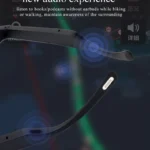


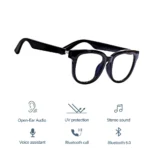

● Left and right speakers, audio directed all around you, to give you real stereo sound effect
Operation Instructions
1.How to switch on/switch off
1)switch on the device: when charging, unplug the charger, it will switch on automatically. Or when it’s off, press the touch
control area on the right temple for 3 seconds to turn it on. By hearing ”Power on”, then accompanied with ”Pairing”, your device
is on.
2)Switch off: Plug in the charger, the device will be off automatically. Or when the device is on, by long press the tap control
zone on the right temple for 3 seconds to turn off. By hearing “Power off” and “Ding Dong”, the device is now switched off.
2.How to connect
Switch on the device, right temple starts pairing, red and blue light flash alternately. when pairing is completed, lights are off
and hear tone “Ding Ding Ding”
1)first time connection: Click ”setting“ on your mobile phone or any smart devices, click and turn on bluetooth on your mobile
phone or smart devices, search Bluetooth name:eyewear plus, click to connect it.
2)Second time connection, when switch your smart eyewear on, it will connect to your mobile phone or other smart devices
automatically.
3. When and How to charge
1) When Low Battery alarm, you will hear indicating tone “low battery” 2times; when device run out off power, it will “Power off”
automatically.
2) When charging, the indicator light is always red; when fully charged, the red and blue light flashes for 10 seconds and then
the indicator light will be off.











Reviews
There are no reviews yet.